If you sell food, beverages, or supplements, displaying clear nutritional information is often a legal necessity and a key factor in customer trust. However, Shopify does not offer a default "Nutrition Facts" table feature.
So, how do you get that professional-looking table onto your product pages?
Methods to add nutrition labels
There are generally two ways to handle this on Shopify:
- Using a dedicated app (KL Nutrition Facts Label): The integrated, compliant, and editable way.
- The Manual Method: Generating static images and uploading them one by one.
Easily add nutrition facts label to Shopify using app
The fastest way to get compliant labels is by using the KL Nutrition Facts Label app. It handles the formatting and compliance standards for you, so you don't need to worry about design or coding.
First, install the app from the Shopify App Store and follow the on-screen instructions to enable the App Block in your theme.
Create a new label
Once the app is installed, head to the dashboard and click Create Label. You can name your label for internal reference (e.g., "Protein Bar - Chocolate").
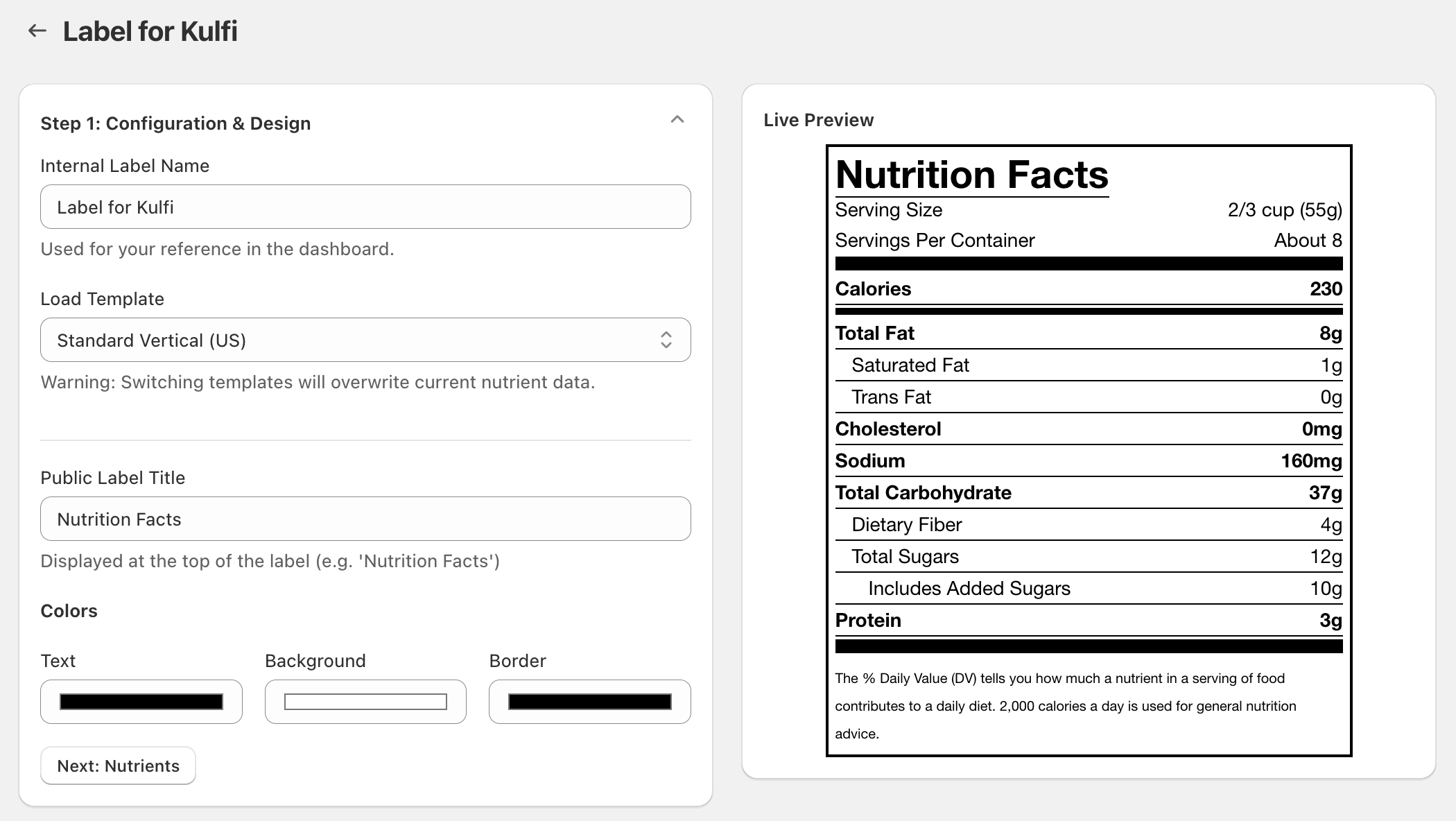
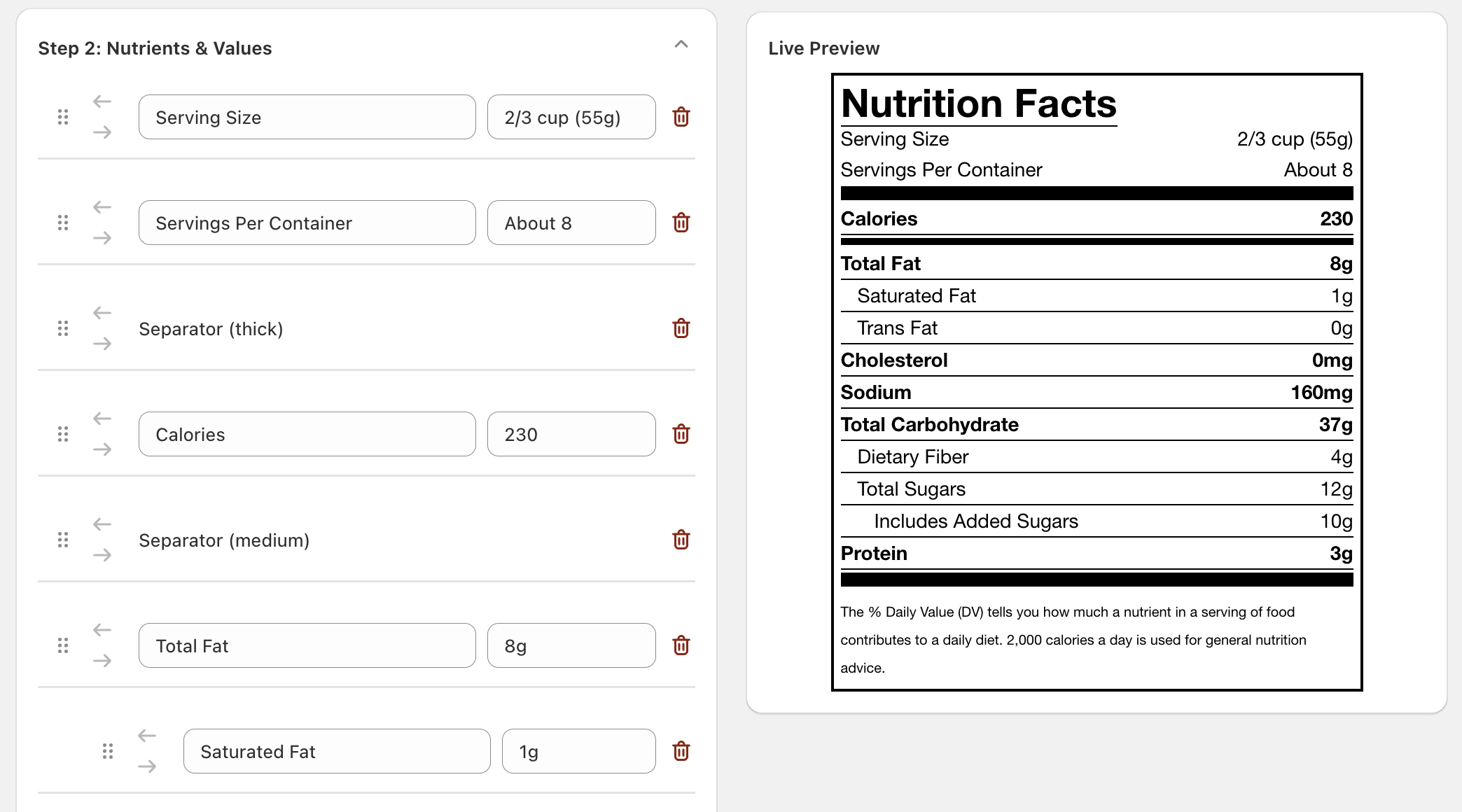
Enter nutrition information
This is where you input your data. You don't need to struggle with formatting. Simply type in the values for Energy, Fat, Protein, etc. The app automatically calculates the correct display units (like % Daily Value) based on the standard you chose. You can also add ingredient lists and allergen warnings here.
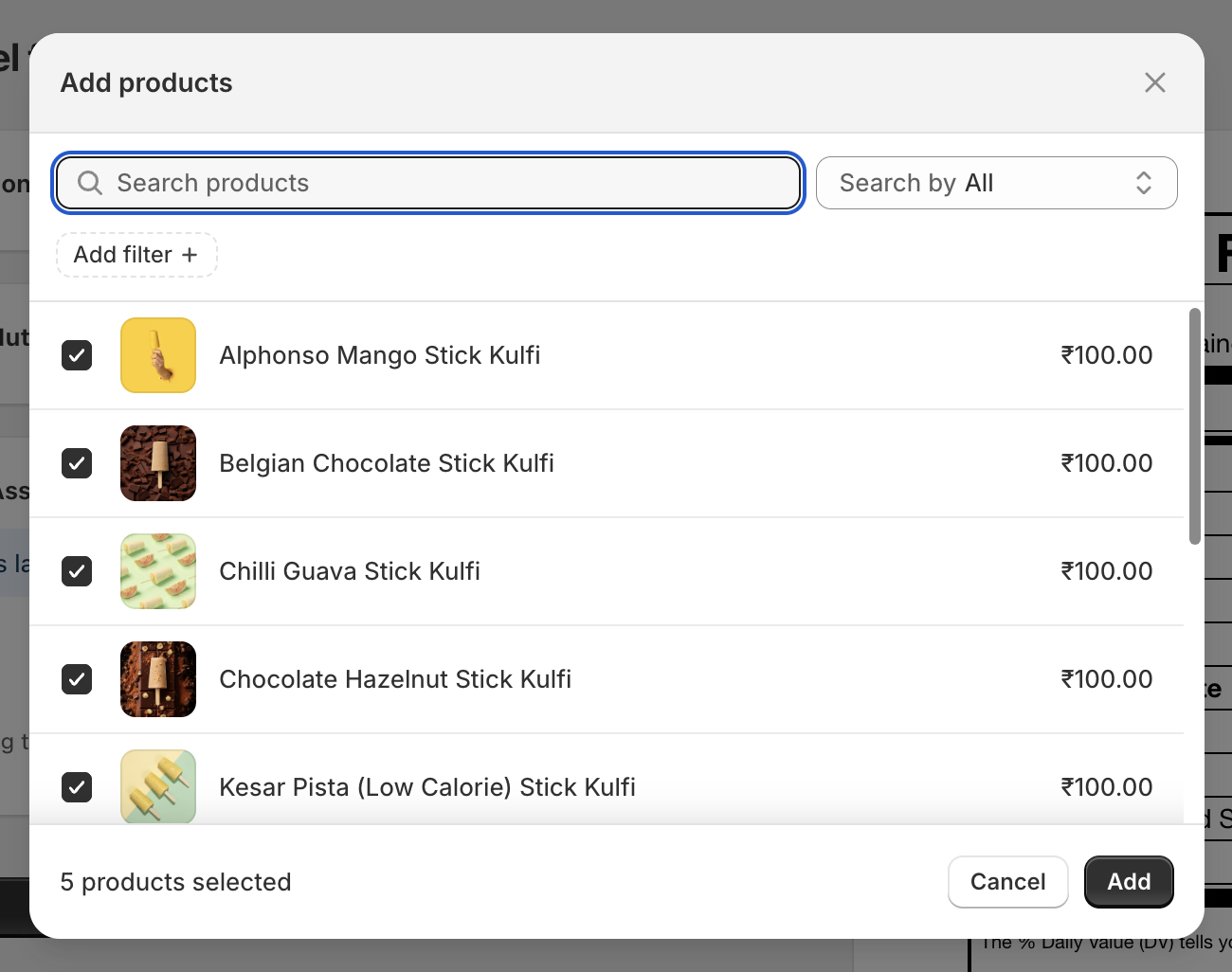
Assign to products
Finally, you don't need to copy-paste code. Just use the product picker to search for the item (e.g., "Coconut Bar Soap") and assign the label to it. You can assign one label to multiple products if they share the same nutritional profile.
What type of nutrition labels are supported by the app?
Different regions have different layout requirements. The KL Nutrition Facts Label app supports a wide variety of global standards to ensure you remain compliant wherever you sell:
- Standard Vertical (US): The classic layout for most US food products.
- Dual Column (US): For products that can be consumed in one sitting or multiple.
- Linear / Horizontal: Great for packages with limited vertical space.
- Tabular (EU): The standard format required for European markets.
- Bilingual Standard (Canada): English and French compliant.
- Supplement Facts: Specifically designed for vitamins and dietary supplements.
Manual method to create & add nutrition facts to Shopify
If you are unable to use an app, you can use a manual "workaround" involving static images.
- Generate the label: Go to a free online tool like our free generator.
- Input Data: Manually type your nutrition values into their form.
- Download: Save the generated label as a JPG or PNG image.
- Upload to Shopify: Go to your Shopify Admin > Products. Click on the product you want to edit. In the "Description" or "Media" section, upload the image you just downloaded.
Why this method is not ideal
While this works in a pinch, it is bad for SEO because search engines cannot read text inside images. Furthermore, it is not accessible for screen readers (blind users), and if you ever change your recipe, you have to re-generate and re-upload every single image manually.
Why is Nutrition Facts Label required?
Providing nutritional information is about more than just avoiding fines.
- Legal Compliance: Most countries (FDA in US, EFSA in Europe) require specific formatting for food products.
- Transparency: Modern customers want to know exactly what they are putting in their bodies.
- Trust & Conversion: A professional, accurate label signals that your brand is legitimate and safe, which can directly increase conversion rates.
Finally, which is the best option?
If you have a very small catalog (1-2 products) and never plan to change ingredients, the Manual Method is a passable temporary fix.
However, for any serious business, the KL Nutrition Facts Label app is the best option. It ensures your labels are always legally compliant, mobile-responsive, SEO-friendly, and easy to update across products without ever touching an image editor.