

If you sell food items, beverages, spices, supplements, or cookware on Shopify, publishing a recipe blog is one of the highest-leverage ways to turn browsers into repeat buyers.
Instead of asking customers to imagine how to use your products, a recipe blog shows them exact meals, drinks, and step-by-step preparations they can make at home, using ingredients directly from your catalog.
What is a Shopify recipe blog?
A Shopify recipe blog is a dedicated content hub inside your storefront that publishes structured cooking, baking, or drink recipes linked directly to the products you sell.
Instead of plain editorial articles, each recipe card displays prep and cook times, serving sizes, ingredient lists, step-by-step instructions, and direct “Add to Cart” buttons for your store's ingredients.
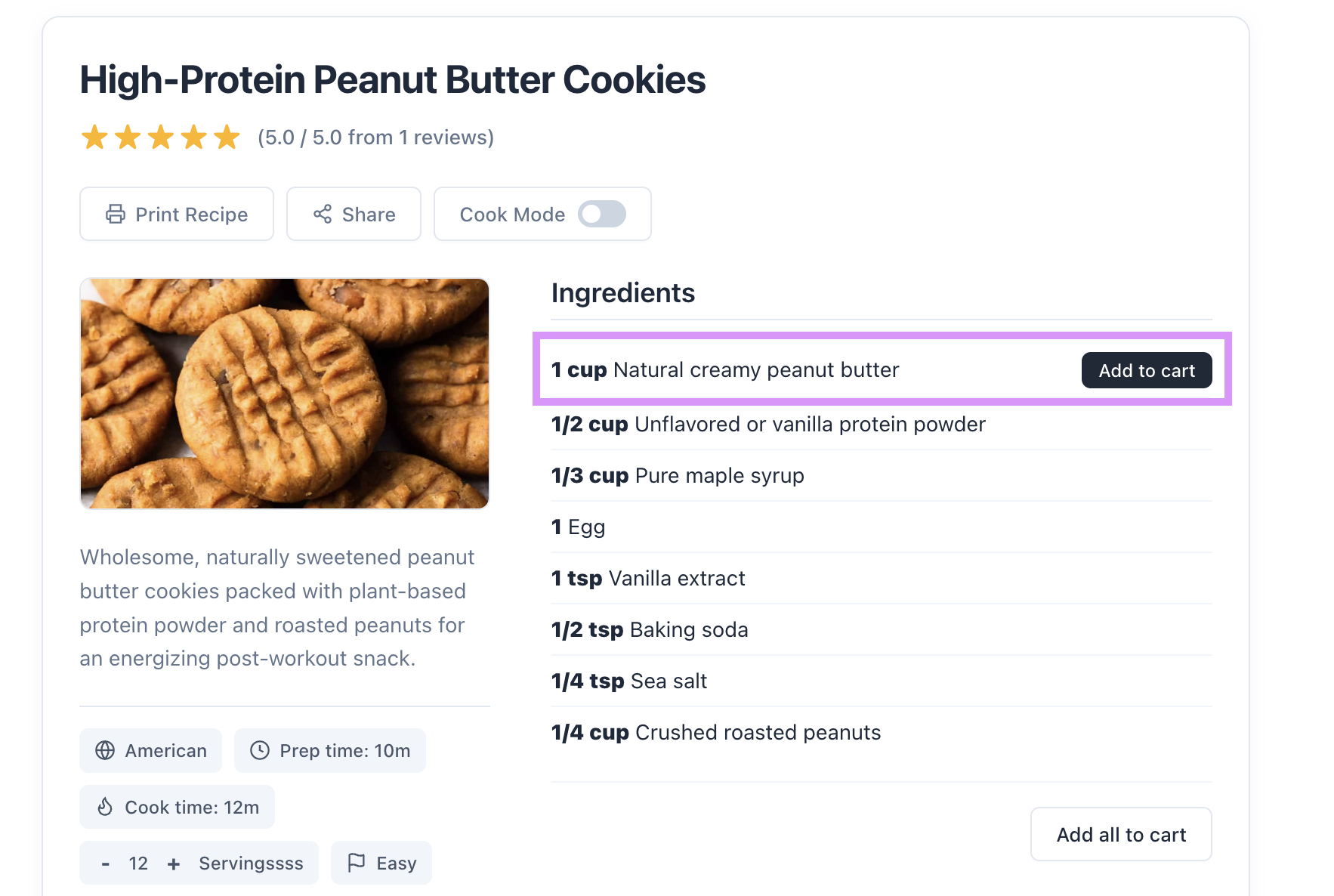
For food, beverage, and kitchenware brands, a recipe blog bridges the gap between top-of-funnel organic search traffic and product discovery.
Although Shopify includes a built-in blogging engine out of the box, its native editor only supports standard text-and-image articles. It does not natively support structured recipe cards, ingredient-to-product mapping, print/PDF recipe views, or Google Recipe Schema markup.
Standard blog posts vs. recipe posts
Publishing a recipe inside Shopify’s default rich-text editor creates friction for both shoppers and search engines. A standard blog post treats a recipe like an unstructured wall of text, whereas a dedicated recipe post is built for kitchen usability and e-commerce conversion.
| Feature | Standard Shopify Blog Post | Dedicated Shoppable Recipe Post |
|---|---|---|
| Layout & Structure | Plain paragraphs and bullet lists | Dedicated recipe card with prep/cook time, servings, yield, and difficulty |
| Ingredient Purchasing | Manual text links scattered in copy | One-click Add to Cart buttons mapped directly to store products & variants |
| Visuals & Media | Basic inline images | Structured hero gallery, step-by-step visuals, and clean print/PDF views |
| Search Engine Visibility | Standard Article schema only | Automated JSON-LD Recipe Schema (enables star ratings, cook time & thumbnails in Google) |
| Mobile Kitchen UX | Requires constant scrolling between ingredients and steps | Scannable, mobile-first layout with interactive ingredient checklists |
How to start a recipe blog on your Shopify store
Step 1: Build a recipe keywords list
You want keywords where a shopper is looking for a dish or drink that naturally requires your product as a core ingredient.
- Product-led queries: Combine your hero product with meal occasions or dietary styles (e.g., “matcha overnight oats recipe”, “high-protein chocolate smoothie”, “smoked paprika chicken marinade”).
- Problem-solving queries: Target shoppers who already bought your product and want usage ideas (e.g., “how to use black garlic paste”, “ways to cook with ghee”).
- Group by collection: Organize your keyword list into 4–6 clear recipe categories, such as Breakfast, High-Protein, 15-Minute Meals, or Drinks, so shoppers can filter your recipe index easily.
Finalize a list of recipe blog keywords that you’ll use for your SEO strategy.
Step 2: Install the KL - Recipe Studio app
Because Shopify’s native blog lacks structured recipe fields and schema markup, install a dedicated Shopify recipe app like KL - Recipe Studio to handle formatting, product linking, and SEO automatically.
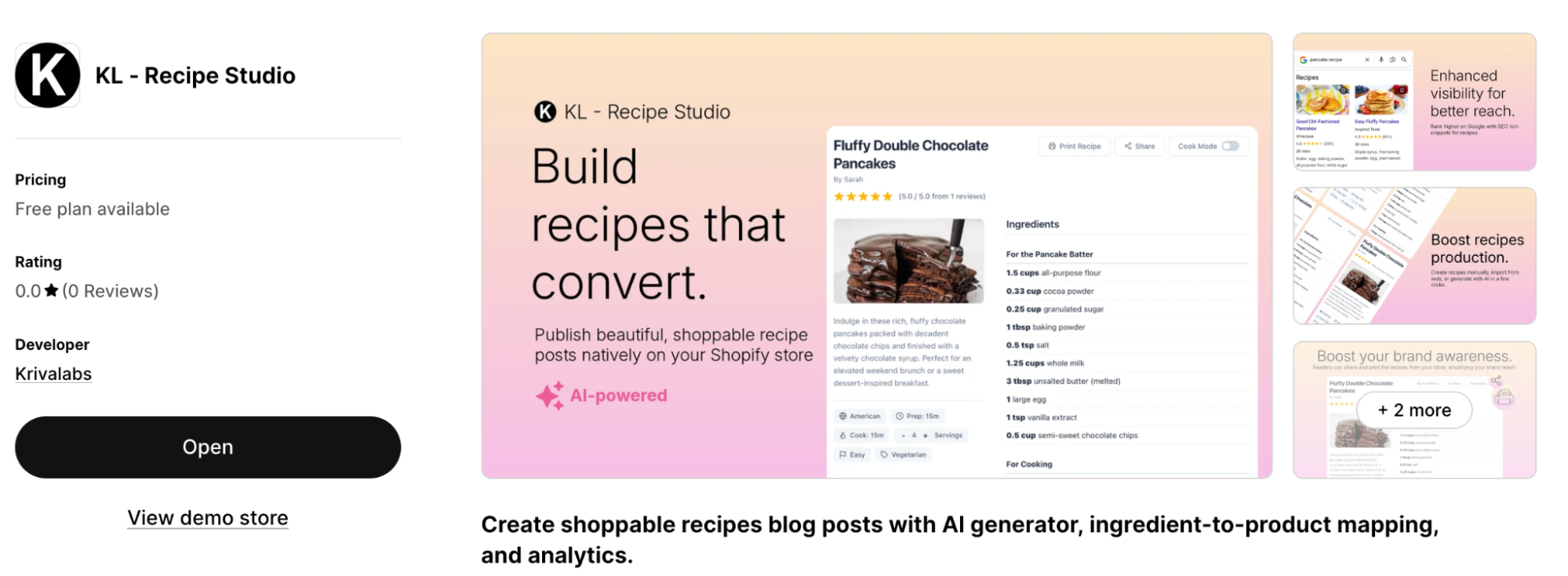
Once installed, complete the onboarding steps in the app to add the recipe cards to your theme file.
Step 3: Create shoppable recipes
Build your first batch of 5 to 10 core recipes in the app dashboard. In the Recipe Studio app, you can create recipes manually or use the built-in AI to generate one.
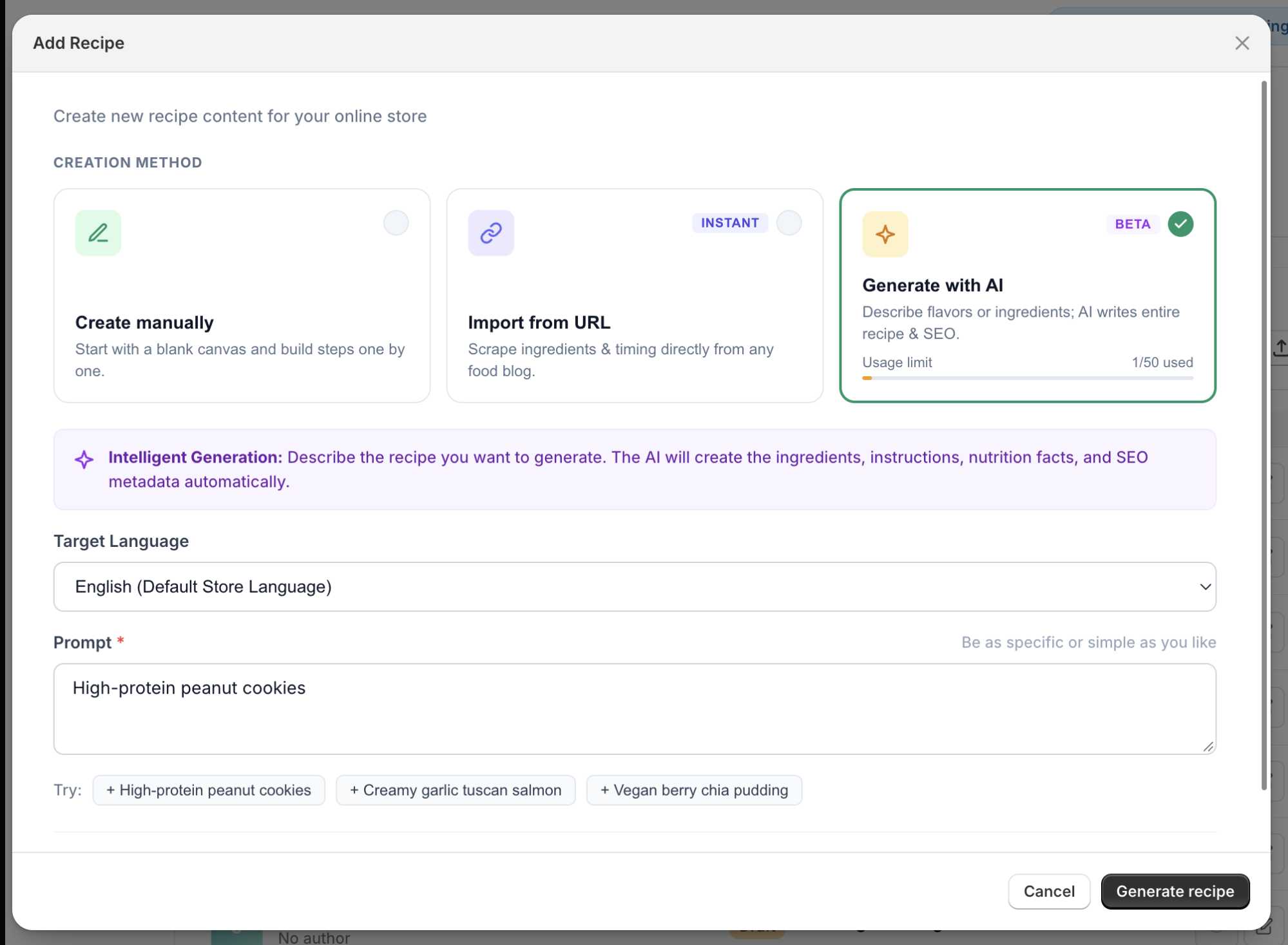
In the recipe content, you can link each ingredient to products or pages in your Shopify store. This helps customers easily check out the linked products from your store. To link a product, click the product icon next to each key ingredient and select the matching product variant.
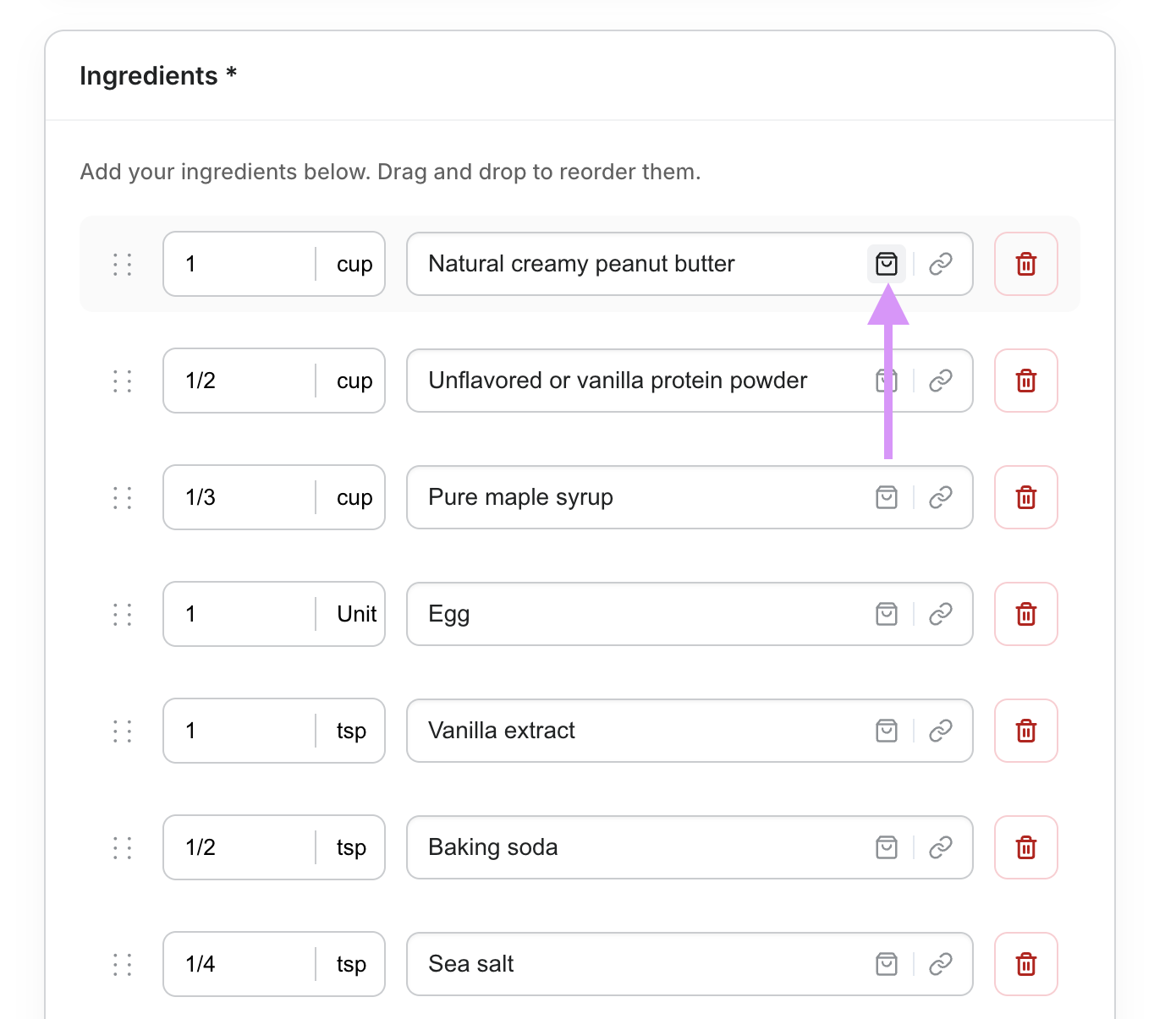
This adds an “Add to Cart” button directly alongside the ingredient on your storefront so shoppers can buy without leaving the recipe.
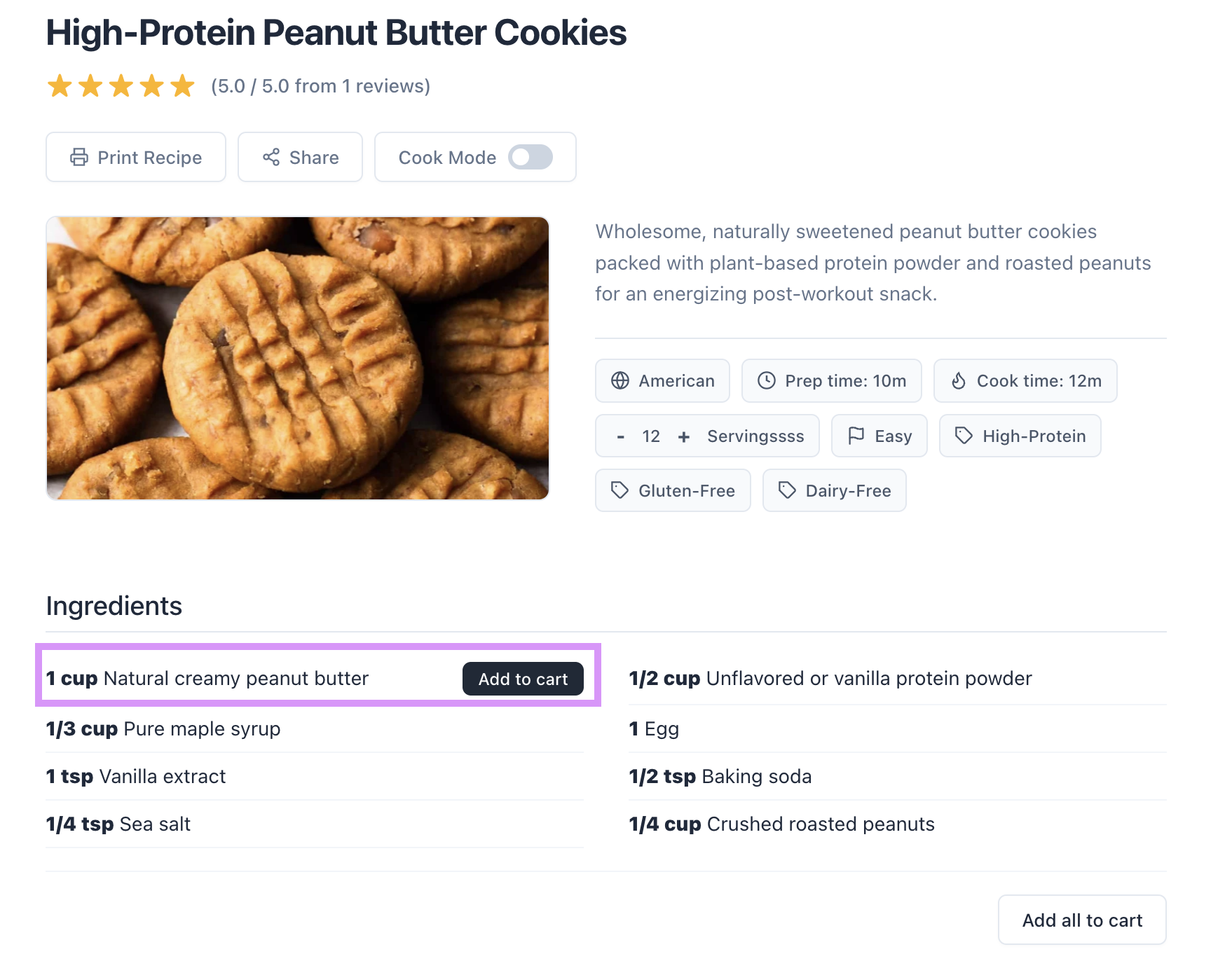
Finally, upload a high-resolution hero image, assign the recipe to a category, and publish it to your Shopify blog.
Step 4: Distribute recipes on social media
Recipes are inherently visual and perform well across organic channels when paired with short-form content:
- Instagram Reels & TikTok: Film a 15–30 second vertical video of the dish coming together, then link viewers directly to the shoppable recipe URL via your bio or story sticker.
- Pinterest: Pin vertical recipe photos with keyword-rich descriptions—Pinterest acts as a visual search engine that can drive recipe traffic for months.
- Email & SMS Flows: Embed a “Recipe of the Week” block into your post-purchase welcome series to encourage repeat orders from first-time buyers.
Step 5: Analyze & optimize recipe performance
Monitor both organic search visibility and direct commercial impact using built-in analytics in KL - Recipe Studio alongside Google Search Console:
- In-app recipe analytics: Open the app’s analytics page to track total views, ingredient clicks, click-through rate (CTR), and recipe ratings. Review day-wise trends and per-recipe metrics to see which dishes drive the most product engagement.
- Search impressions & rich results: Check Google Search Console to confirm your recipe URLs are indexing with valid Recipe structured data and see which ingredient queries bring organic clicks.
- Optimize top performers: Feature your highest-converting recipes directly on the corresponding product detail pages (PDPs), and refresh seasonal winners with updated photos or bundle links to sustain year-round traffic.
Use AI to generate recipe content in Shopify
Writing, formatting, and structuring dozens of recipes manually slows down content production—especially for lean e-commerce teams.
With KL - Recipe Studio, you can use built-in AI recipe generation and web recipe importing to speed up publishing without sacrificing structure:
- Generate original recipes from your products: Enter a product name, flavor profile, or dietary goal (such as vegan, keto, or high-protein), and the AI drafts a complete recipe—including accurate ingredient ratios, prep/cook times, and step-by-step instructions.
- Import existing recipes in seconds: Already have recipes scattered across old blog posts, PDFs, or external links? Paste a URL to import and convert unstructured text into a clean, standardized recipe card.
- Export downloadable PDF recipe books: Turn your best-performing recipes into branded PDF recipe booklets to use as lead magnets or post-purchase freebies.
What are the benefits of a recipe blog in Shopify?
Shoppable recipes & higher sales
When shoppers see a finished meal or drink and can add every required ingredient to their cart in one click, purchase intent is immediately captured. Shoppable recipes also increase Average Order Value (AOV) by encouraging customers to buy complementary sauces, spices, supplements, or pantry staples together in a single recipe.
Better SEO & Google rich snippets
Structured recipes generate valid JSON-LD Recipe Schema automatically. This makes your pages eligible for Google rich results—displaying recipe thumbnails, star ratings, preparation times, and calorie counts right on the search results page—which boosts organic click-through rates over plain text links.
Stronger customer retention & community engagement
Many food and wellness customers buy a product once and let it sit in the pantry because they run out of ways to use it. Publishing regular recipes keeps existing customers engaged, reduces churn on recurring subscriptions, and encourages user-generated photos and reviews.
Compounding organic website traffic
Unlike paid ads that stop bringing traffic the moment you pause spend, evergreen recipe pages rank for thousands of long-tail ingredient and meal queries—bringing high-intent shoppers into your store every day.
Get more sales with a recipe blog in Shopify
A recipe blog turns your Shopify store from a static product catalog into a practical kitchen resource that drives both organic search traffic and direct product sales. By pairing structured, shoppable recipe cards with valid Recipe schema, every dish you publish becomes a repeatable conversion path for your ingredients.
Ready to launch your shoppable recipe hub? Install KL - Recipe Studio to generate AI-powered recipes, map ingredients to your products, and start publishing SEO-ready recipe posts in minutes.