
If you sell food, beverages, or supplements, displaying clear nutritional information is often a legal necessity and a key factor in customer trust. However, Shopify does not offer a default "Nutrition Facts" table feature.
So, how do you get that professional-looking table onto your product pages? In this guide, we'll explore the most efficient methods to integrate compliant labels into your Shopify storefront.
Methods to add nutrition labels
There are generally two ways to handle this on Shopify:
- Using a dedicated app: The integrated, compliant, and editable way. We recommend KL Nutrition Facts Label.
- The Manual Method: Generating static images and uploading them one by one.
Easily add nutrition facts label to Shopify using app
The fastest way to get compliant labels is by using a dedicated Shopify app. It handles the formatting and compliance standards for you, so you don't need to worry about design or coding.
Create a new label
Once the app is installed, head to the dashboard and click "Create Label". You can name your label for internal reference (e.g., "Protein Bar - Chocolate").
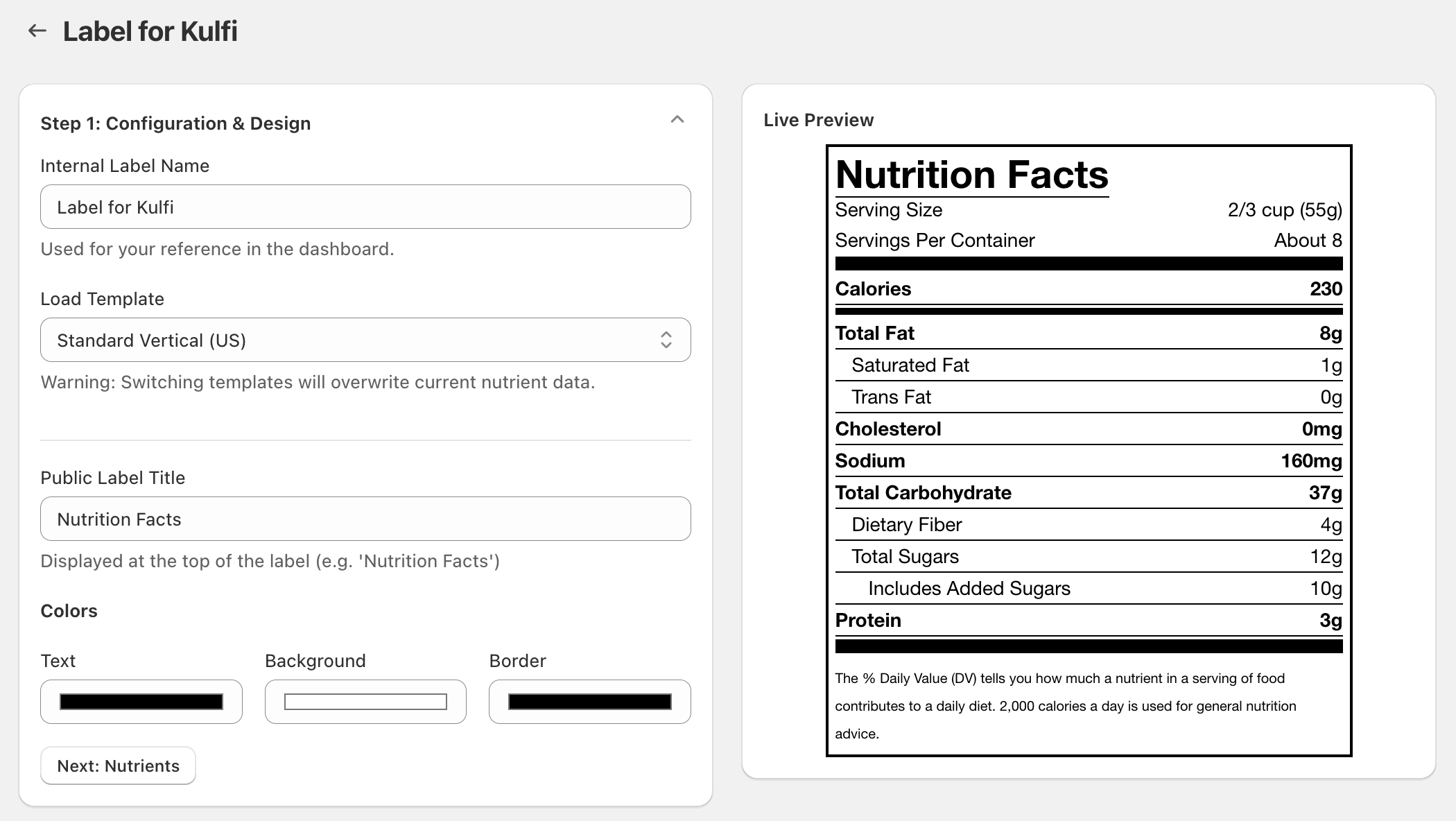
Enter nutrition information
Simply type in the values for Energy, Fat, Protein, etc. The app automatically calculates the correct display units (like % Daily Value) based on the standard you chose. You can also add ingredient lists and allergen warnings here.
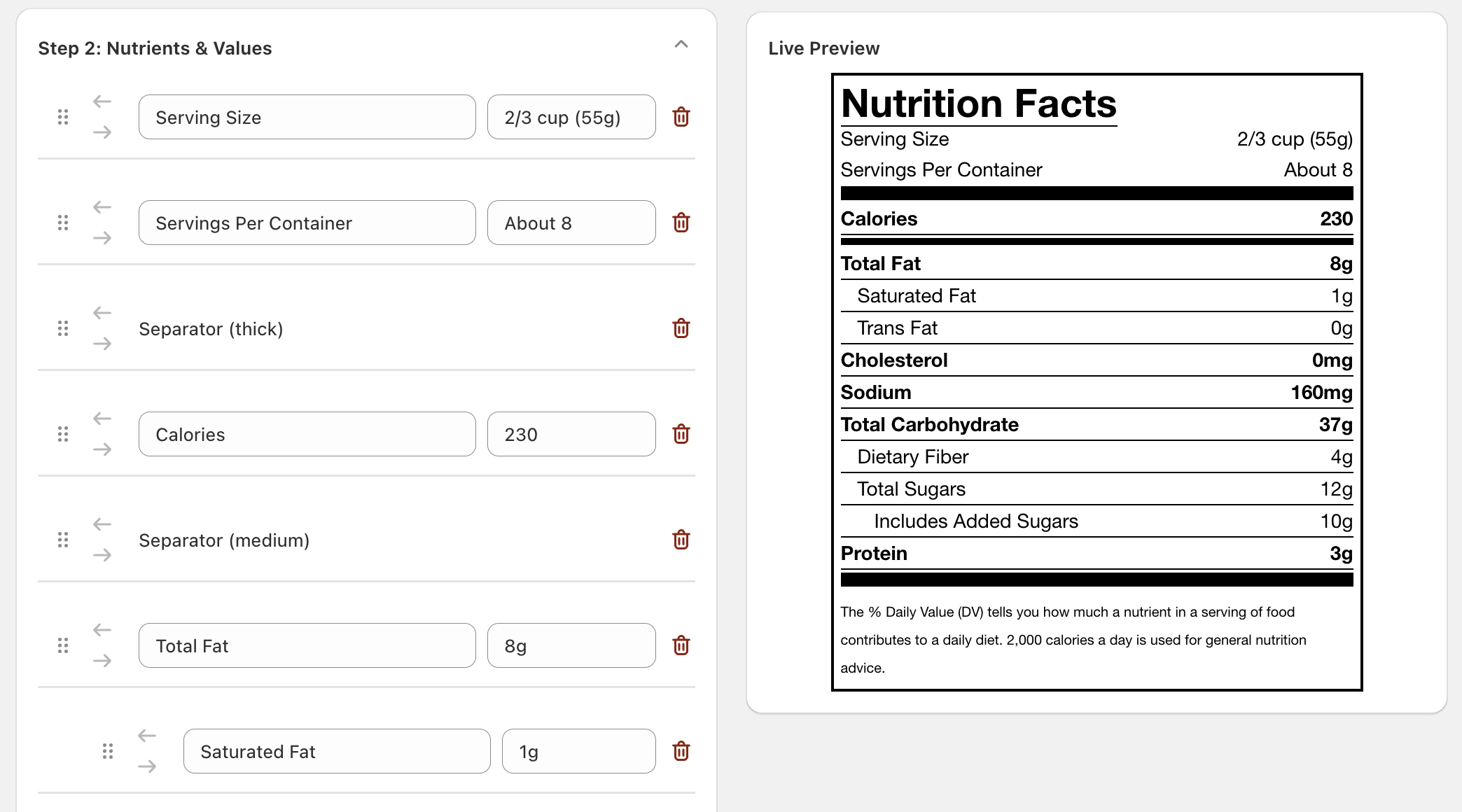
Assign to products
Just use the product picker to search for your item and assign the label. You can assign one label to multiple products if they share the same nutritional profile.
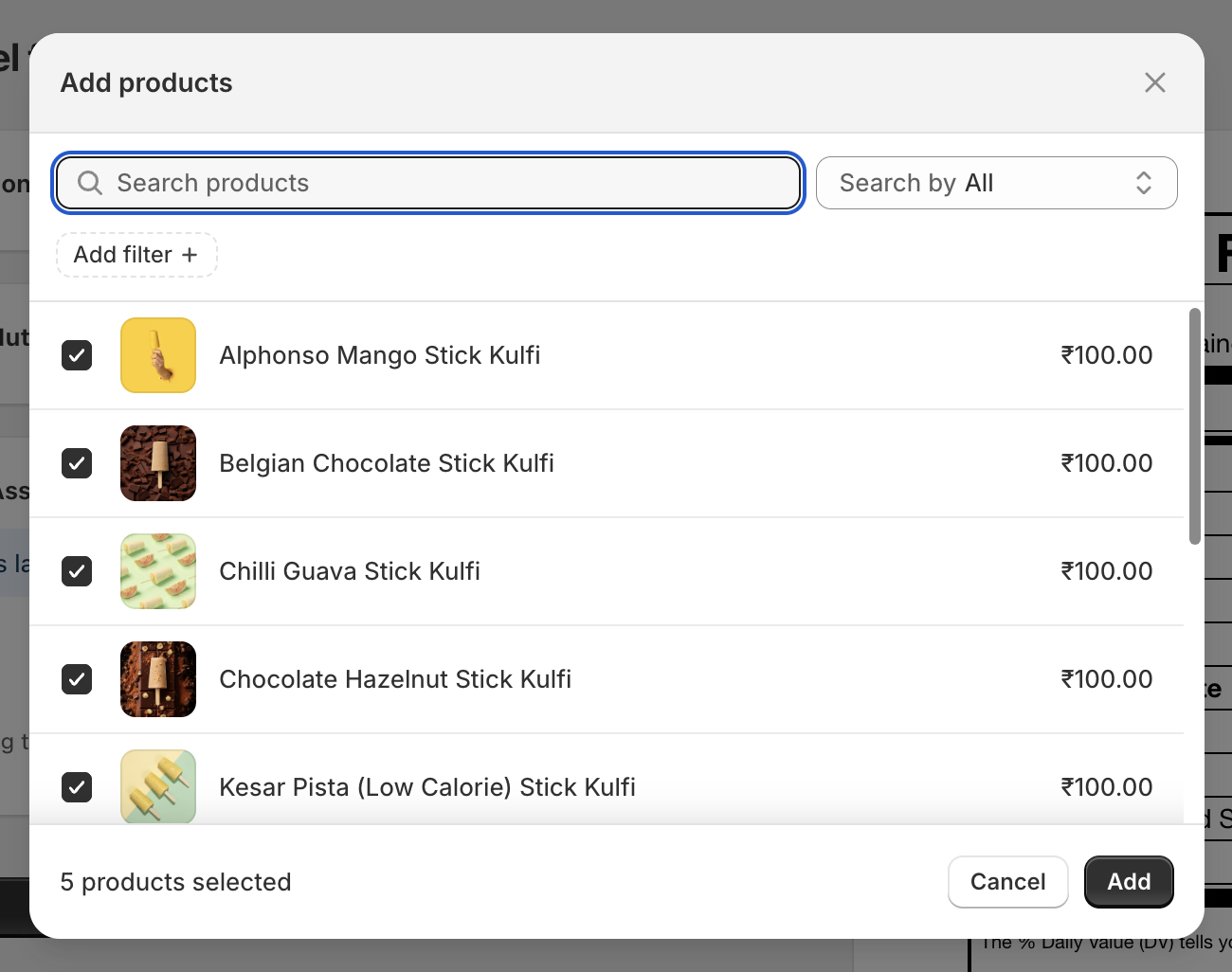
What type of nutrition labels are supported?
Our platform supports all major global standards, ensuring your products are compliant in any market. The available formats include:
- USA FDA Standard: Standard Vertical, Dual Column, Linear, and Supplement Facts formats (2016-2020 FDA Overhaul compliant).
- Canada (Bilingual - Health Canada): Fully compliant with English and French bilingual labeling requirements.
- European Union (EU Tabular): Energy (kJ/kcal), Fat, Saturates, Carbs, Sugars, Protein, and Salt (FIC Regulation 1169/2011).
- Australia & New Zealand (FSANZ): Nutrition Information Panel (NIP) with Average Quantity per Serving and per 100g.
- Supplement Facts: Specific layouts for vitamins, minerals, and herbal supplements (USA FDA CFR Part 111).
- Standard Linear: For small packaging where vertical space is limited.
Manual method to create & add nutrition facts
If you are unable to use an app, you can use a manual workaround involving static images:
- Generate the label: Use a free online generator.
- Input Data: Manually type your nutrition values.
- Download: Save as a high-quality JPG or PNG.
- Upload to Shopify: Add the image in the "Media" section of your product.
Why this is not ideal
Static images are bad for SEO and accessibility. Changing a recipe requires manually re-generating and re-uploading images for every single product.
Why is Nutrition Facts Label required?
Legal Compliance
Most countries require specific formatting for food products to avoid heavy fines and legal issues.
Customer Transparency
Modern consumers want to know exactly what they are consuming. Clear labels build significant trust.
FAQs
Does Shopify have a built-in nutrition facts feature?
No, Shopify does not offer a default Nutrition Facts table feature. Merchants must use third-party apps like KL Nutrition Facts Label or add labels manually as images or custom HTML.
Are image-based nutrition labels good for SEO?
Static images are bad for SEO and accessibility because search engines cannot read the text within the image. HTML-based labels are much better for indexing and search visibility.
How do I ensure my Shopify nutrition labels are legally compliant?
Using a dedicated app like KL Nutrition Facts Label ensures compliance by providing templates that follow FDA (USA), Health Canada, EU FIC, and FSANZ standards.
Related reading
Recommended for you